
Producteev is an attractive and versatile web-based task manager that supports team collaboration across a range of platforms. It also comes as a free download for Mac and Windows desktops, Android phones and the iPhone. The iPhone app runs on the iPad, albeit in small screen format. Producteev is free for up to two users per workspace; $20 per month buys you unlimited user access for as many workspaces as you want. This independent review explores the Producteev browser app as a tool for individual task management. Continue reading
Tag Archives: GTD
eloping with firetask
Firetask is a promising GTD-based productivity app with the simple ‘feel’ of a traditional to-do list. It has a well-designed beautiful interface and enough functionality to give well-established apps like things and omnifocus a run for their money. I have reviewed the mac desktop and the ipad apps (both version 2.2); there is no windows version.
While firetask is not perfect, it has almost done the unthinkable: prised me away from omnifocus. It has been like a suitor in a jane austen novel: maybe not the most sensible and respectable choice, but irresistible because of its colour and freshness. I want to spend time in the app, and that is a feeling I haven’t had with omnifocus for a long time. So, after a brief stint with the trial version, I decided to throw caution to the wind and to elope with firetask. Will it end in tears? Continue reading
toodledo: weird name, solid app
In my student days, back in belgium, the citroen ‘deux chevaux’ (two horsepower) was known as the ‘ugly duckling’. It was weird and quirky (with the gear stick in the dash rather than on the floor) but it was cheap and reliable, a solid workhorse.

Toodledo is the 2CV of productivity apps: not much to look at, but it won’t let you down and has a lot of surprises under the bonnet.
To start with, toodledo is fully compatible with the ‘getting things done‘™ (GTD™) approach developed by david allen. Projects, contexts, priorities, tags, status, due dates, filters, locations – it is all there. It is also highly customisable: if you want to run toodledo as a simple task list, you can. If you want to track the time a task is due rather than just the date, or track how much time you have spent on a task, it will let you do that too. You just choose in ‘settings’ which fields you want to use and you can always revisit those decisions. Continue reading
nozbe launches desktop versions
Today marks the launch of new desktop versions for windows and mac of the nozbe productivity app. This post is a fully independent review of version 1.00 of the mac desktop version, which I am running on os 10.7.3 (lion).
Nozbe is the brainchild of michael swilinski of apivision, whose website describes the software as a ‘web-based time- and project-management application for busy people and teams’.
Nozbe has been available as a browser-based app for five years. More recently, the company released apps for the ipad and the iphone. The desktop version can be downloaded for free from the nozbe website. It works faster than the browser version and lets you work offline. Continue reading
ozengo’s productivity principles
Zen is not commonly associated with productivity. However, as a western buddhist working in a large organisation I was able to draw on the clarity, simplicity and integrity that characterise zen in refining my work habits. Other sources of inspiration over the years were stephen covey’s seven habits of highly effective people (1989) and david allen’s how to get things done – the art of stress-free productivity (2001).
The list below shows what works for me – some steps, strategies and workarounds I have developed for tackling complex projects.
articulate your vision
- think big, describe what your dream looks like, where you want to be in five, ten years’ time
- do not let your thinking be constrained by current practices, resource constraints or technical difficulies at this point
- once you are satisfied with the vision you have articulated, embrace it and and start living accordingly
translate your vision into a broad plan
- identify what needs to happen for your vision to become a reality
- start grouping these change areas into domains (for example, research, skills or product development, strategic alliances)
- identify opportunities for learning and collaboration for each of these domains (for example, online research, formal study, finding a mentor, informal networking)
- do a ‘skills audit’: can you do this by yourself or within your current team configuration?
- identify your personal supports: who is already on your side; with whom can you share your progress and frustrations?
- talk to people – they may come up with great suggestions or point out a ‘blind spot’ in your thinking
- develop an indicative timeline and costing
- remember the saying: ‘a vision without action is a daydream; action without a vision a nightmare’
zendone: ‘a beautiful productivity tool for getting things done’
Zendone is an elegant new productivity app that provides seamless integration with evernote and google calendar. It is so new, in fact, that it is still in beta; the version I tinkered with was 0.7.5.
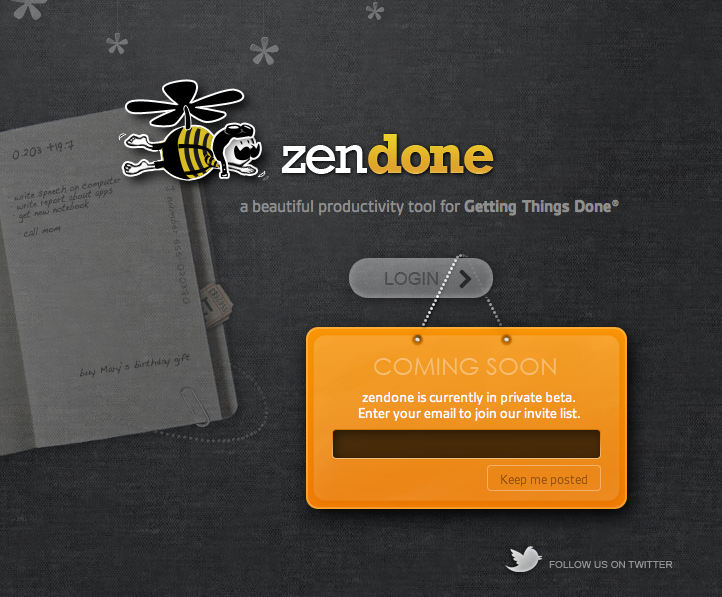
the zendone homepage with its slightly steampunk bumblebee
Setting up your zendone account involves providing an email address and creating a password. You are then ready to use zendone as a straight task manager. The multiplier effect for this app, however, comes from combining it with evernote and google calendars. Preparing your evernote account for zendone integration involves setting up a default folder in evernote called ‘@inbox’ and another one called ‘archive’. The zendone preferences pane and some preloaded ‘tutorial tasks’ guide you through this process. Zendone also creates new calendars in a nominated google calendar: one for each area of responsibility (e.g. work, home) and one for completed tasks.
Any tasks that you create in, or email to your evernote account, appear in zendone’s inbox within seconds. The inbox is where you collect and process your tasks. They can be delegated, allocated to a project and given a context, a tag or a completion date.
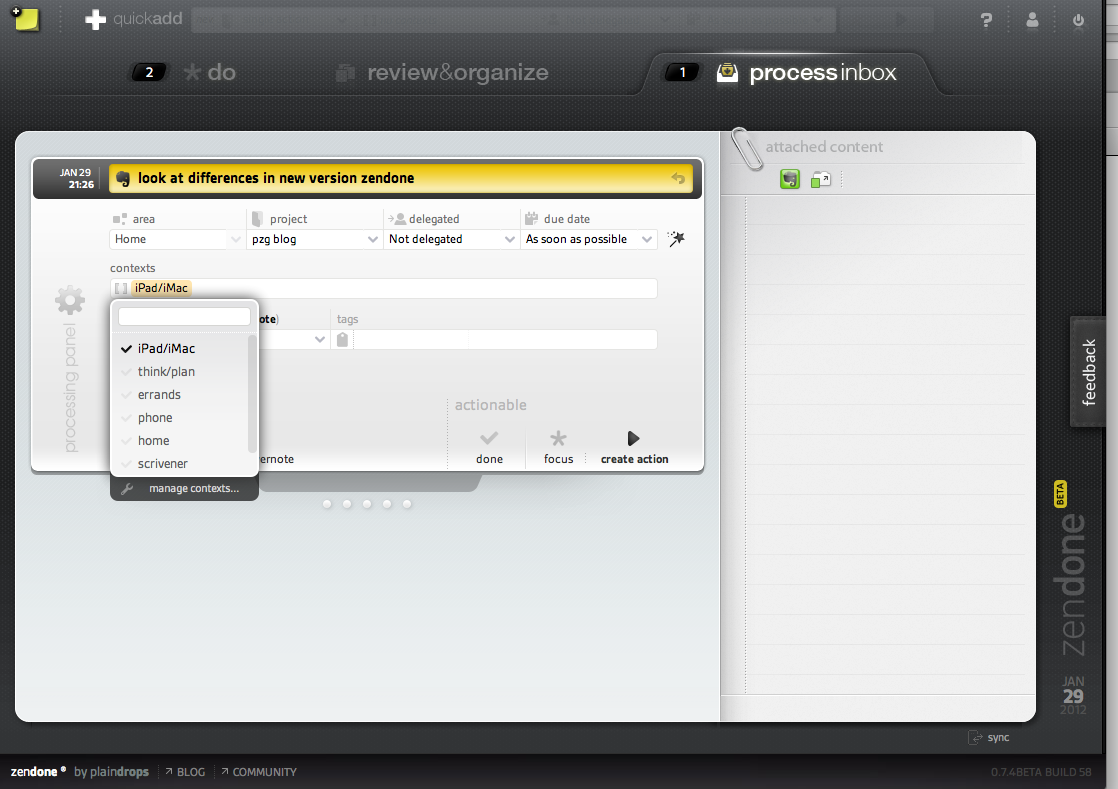
elephant meets bumblebee: a task created in evernote shows up in the zendone inbox
The user interface is clean, elegant and logical. A limitation with how you describe tasks is that the repeat function at present only provides ‘every‘ as the frequency option. I would also like to see an option to restart a task from its completion date (you make a mortgage repayment every month but you may decide to clear your gutters after three months). There is also no option to enter task duration (like in omnifocus or toodledo); and the absence of that parameter means that you cannot bring up a list of brief tasks (though creating a context for these could be a workaround). The zendone team appears to be thorough and responsive and I hope that these minor issues can be addressed in the final version.
The next phase in David Allen’s Getting Things Done™ (GTD)™ process involves reviewing and organising your tasks. In zendone, new tasks are added at the bottom of the respective list. I could not find an option to sort tasks automatically by due date, but you can drag and drop them to sort them into an order that makes sense to you. The navigation pane can be hidden from view and you can click underneath a project list to show completed actions for that project.

The zendone ‘review & organise’ pane. Note the filters in the navigation pane on the left.
The main functionality I miss here is the capacity to have nested tasks (as in omnifocus, toodledo and todoist) and the capacity to save project templates or to schedule reviews (as in omnifocus).
The ‘do’ view is again clean and uncluttered. You can choose to see all your priority tasks (marked with a chunky big star) or only those of a particular area of responsibility (such as work or home). You can also filter tasks by context. No demoralising sea of red here: overdue tasks have three discreet red dots in front of them. Two panes at the bottom of the screen can slide open to show recently received and/or completed tasks.

Zendone’s ‘do’ view.
There is much to like here and the app keeps getting better: the zendone team rolled out functionality improvements twice in the four days it took me to review the app and write this post. This is a great app if you want to add a productivity dimension to your evernote and/or your google calendar. Zendone is a delight to use even though its functionality is more limited than that of omnifocus. On the other hand, it is easier to pick up than OF. While omnifocus is fairly expensive to buy, zendone will not be a free app – there is talk about a ‘reasonable’ monthly fee.
Personally, I find using a calendar for task management suffocating (but you can disable the evernote and google integration if you wish). The main dealbreaker for me is that zendone will only run on ‘a modern version’ of chrome, safari or firefox. For me, that means I would only be able to use the app at home. It won’t run in safari on my iPad 2 (OS 5.0.1) and at work the network is still using internet explorer 6 (mordac alert for all you dilbert fans out there).
Finally, I just wanted to make clear that I have no commercial interest in zendone (or omnifocus) and that I am not an expert in productivity apps – just an interested user. And to you folks out there at zendone: congratulations on your achievement and please feel free to post a correction in the comments section if I have misrepresented any aspect of your work.
Update (28-09-12)
Version 0.8.0 of zendone was released in July 2012, rolling out some significant enhancements:
- actions can now be grouped in the ‘review & organize’ view
- a ‘next task’ filter enables you to view only those tasks that need to be completed in order to move each of your projects a step forward
- you can now bring up next actions in the ‘do’ view and decide which ones to add to the starred items of your focus list
- zendone now has a fast and accurate search function.
You can find more detail about these changes on the zendone blog.
 purplezengoat